Fake VPN apps surge on Chrome Web Store
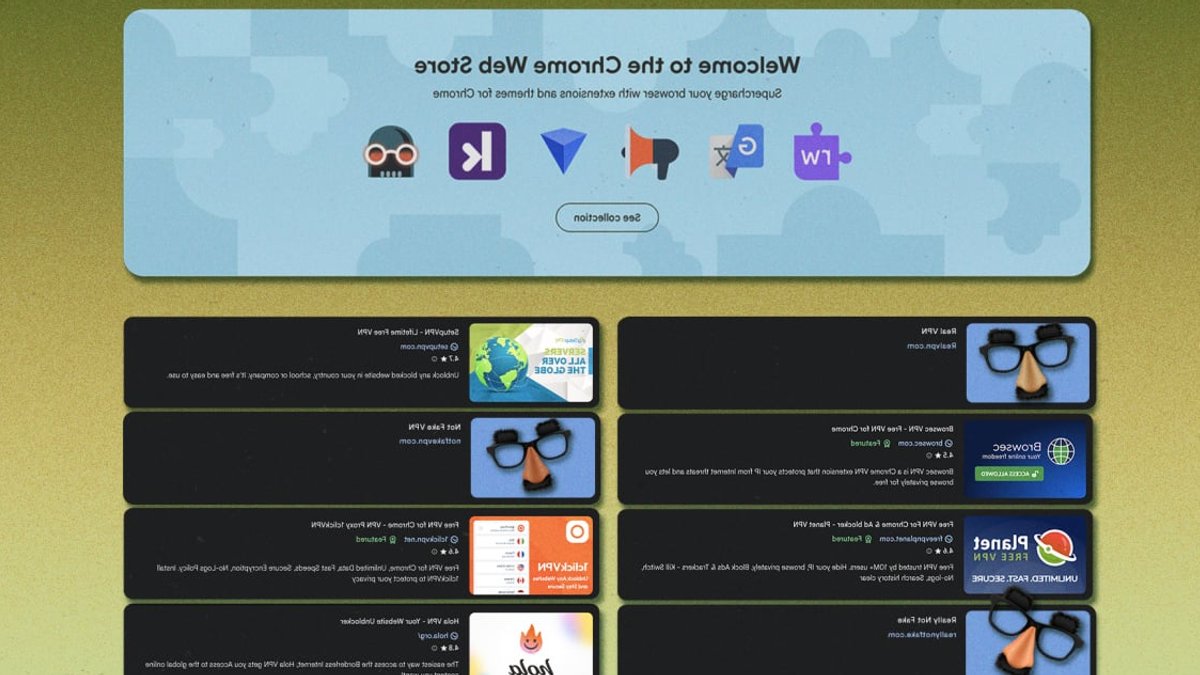
Over 700 fraudulent VPN extensions have appeared in the Chrome Web Store, deceiving users into sending their internet traffic through servers run by anonymous developers. Many of these extensions mimic well-known cybersecurity brands to appear trustworthy, while others sell subscriptions to nonexistent VPN services.
Cybersecurity firm Socket identified 737 suspicious extensions published by only 40 developer accounts, which had gathered more than 75,000 installs. A closer look at 525 of them uncovered widespread deception, including stolen branding, broken servers, and spyware.
Fake VPNs copy trusted brands to steal data
Socket’s findings showed that 274 of the 525 extensions used the logos and names of 66 real VPN providers, such as NordVPN, Surfshark, ExpressVPN, and Proton VPN. Two extensions specifically imitated AmneziaVPN and AntiZapret, tools used to evade internet restrictions.
Most extensions funneled all user traffic through a single SOCKS5 proxy without offering split tunneling or per-site controls. Once installed, every website visited, password entered, and file downloaded could be monitored by the extension’s operators.
Related: Alexa+ comes free to certain Amazon TVs
Some extensions claimed to provide premium servers in locations like Japan, Singapore, and Canada. When tested, the hostnames failed to connect, proving the servers didn’t exist. Others, such as Burenka VPN, didn’t even attempt to route traffic, serving only as a fake interface with no real protection.
One extension contained a plaintext comment in its code: “If Chrome Web Store rejects this because of automatically opening links, we can replace it with a notification offering to go to the Telegram bot.” The note indicated the developers knew their app violated store policies but intended to bypass detection rather than fix the issue.
How the extensions bypassed Google’s review system
The extensions weren’t complex. They passed Chrome’s review process because their creators had learned how to exploit its weaknesses. Many had previously released similar extensions that were later removed, only to resurface under new accounts.
Creating a developer account on the Chrome Web Store costs $5. With 40 accounts, the total expense to publish 737 fake extensions was under $200. That modest investment reached tens of thousands of users.
Related: Google says Gmail data secure despite leak
When moderators flagged an extension, the developers frequently submitted identical privacy explanations to regain approval. The pattern pointed to a coordinated effort to exploit gaps in Google’s enforcement.
For most users, the danger isn’t just losing money on a fake subscription. It’s granting unknown parties unrestricted access to browsing history, login details, and personal data. The extensions don’t need advanced technology to cause harm; they only need to appear convincing enough to be installed.
How to avoid fake VPN extensions
Since app store reviews can’t always be trusted, users should verify VPN extensions before installing them.
First, install extensions only by following links from the VPN provider’s official website, not by searching the Chrome Web Store or Google Play. Official links reduce the risk of encountering impersonators.
Related: Microsoft Word Gets Location Jump Feature
Second, examine reviews carefully. If multiple users report security issues, slow performance, or unusual behavior, avoid the extension.
Before installing, check the developer account associated with the extension. Is it officially linked to the VPN brand? Do other apps from the same account have suspicious reviews? If the developer’s name doesn’t match the brand, treat it as a warning.
After installation, confirm the extension works as advertised. Use a site like WhatIsMyIPAddress.com to check if the displayed IP matches the VPN’s interface. Run a DNS leak test to ensure queries aren’t exposed. If the real location or ISP appears in results, the extension isn’t secure.
For those who depend on VPNs to protect sensitive data, these steps aren’t optional. The Chrome Web Store’s review process has shown it can’t catch every fake, so users must take responsibility for their own safety.

Alexa+ comes free to certain Amazon TVs


